
Visitors coming to Beavers Bend Cabin Country are already planning where to eat, what to do, and where to pick up what they need. A claimed and complete listing on the Beavers Bend Cabin Country website puts your business in front of them at exactly the right moment and it all starts with creating a free account.
Your listing is more important than you might think. The Beavers Bend Cabin Country app pulls directly from the website, so the information visitors see in the app comes straight from here. And with the addition of the AI chatbot feature, your listing content is now one of the first places it looks when visitors ask questions. The more complete and accurate your listing, the better the experience, whether it’s on the site, the app, or in a chat.
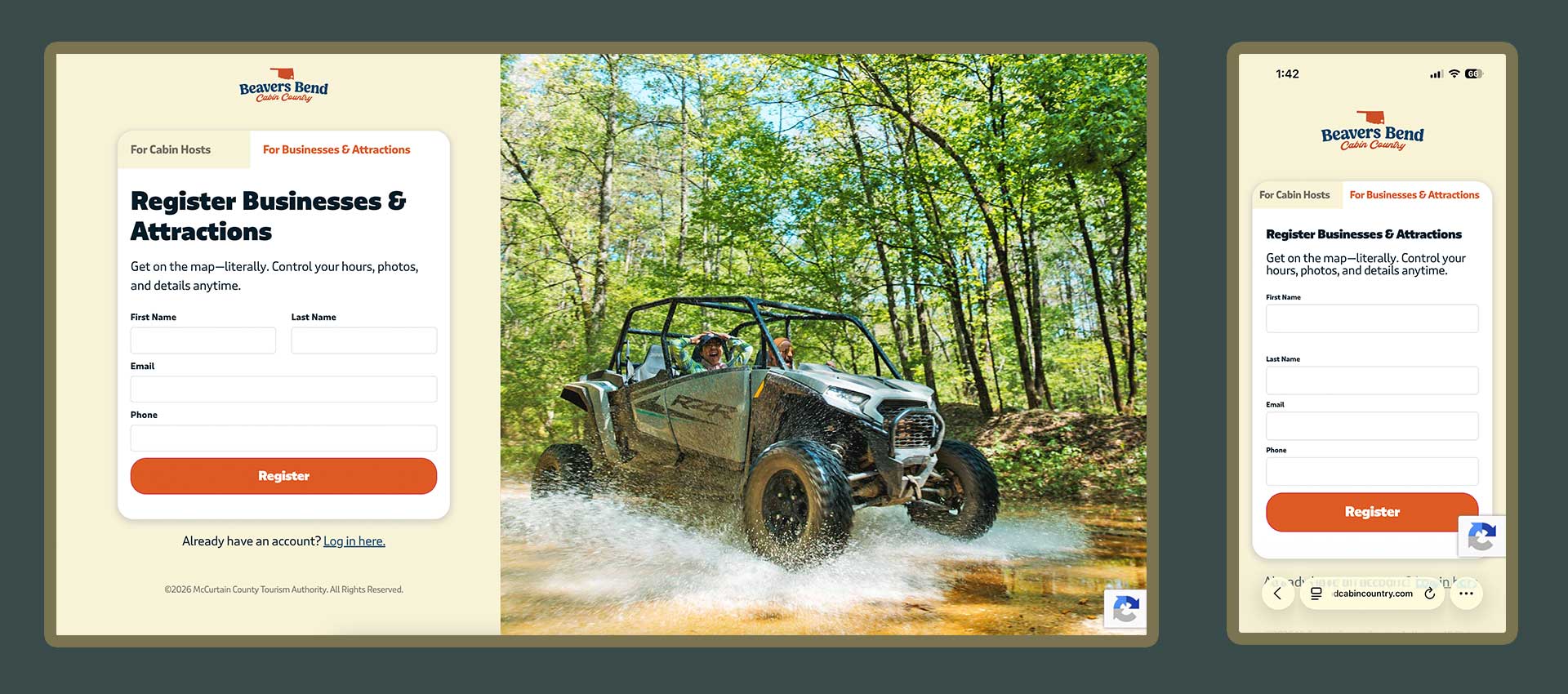
Let’s get started. Setting up an account is free and only takes a few minutes.
Once your account is active, you’re ready to claim your listing.
If your business is already on the site, you can request to take ownership of it so you can edit and update it yourself.
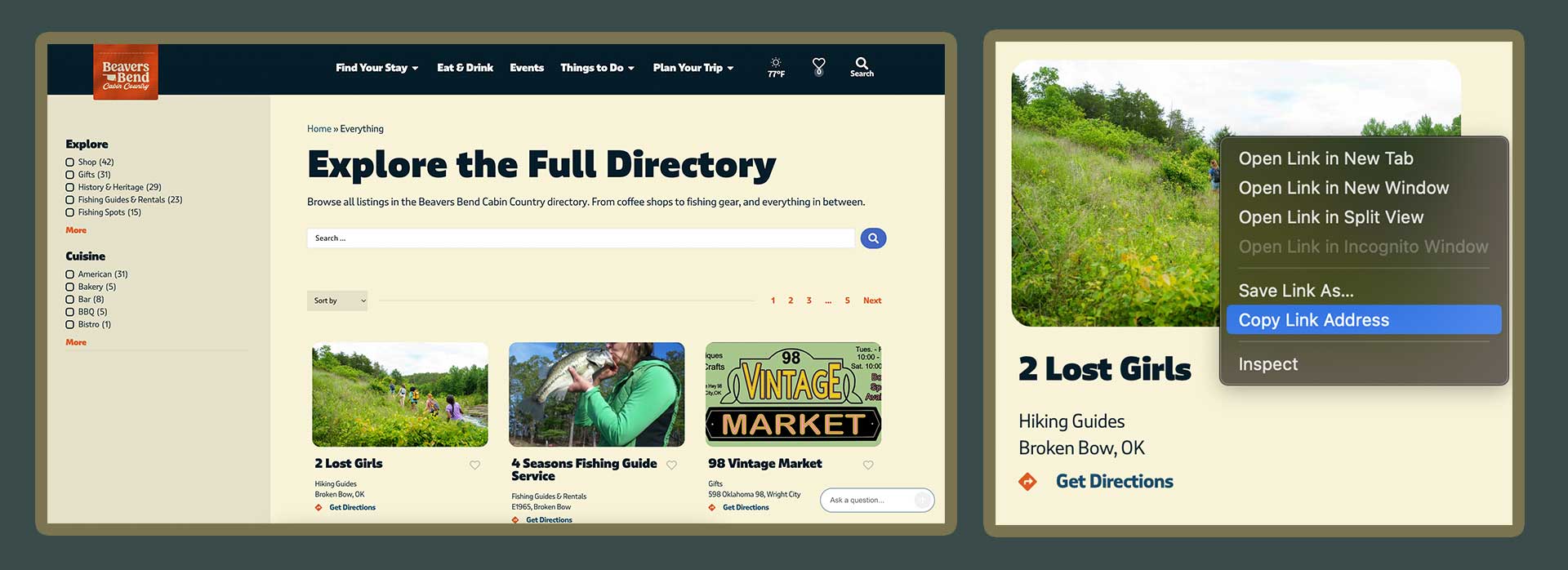
The first step is to be logged into your account, and visit the Everything Page. Once you’ve found it, copy the URL of your listing by right clicking on your listing and selecting Copy Link Address.
Next, visit the Claim a Directory Listing page. Enter the name of your listing, paste the URL, and click Verify. Our team will be notified, and you’ll get a confirmation email right away.
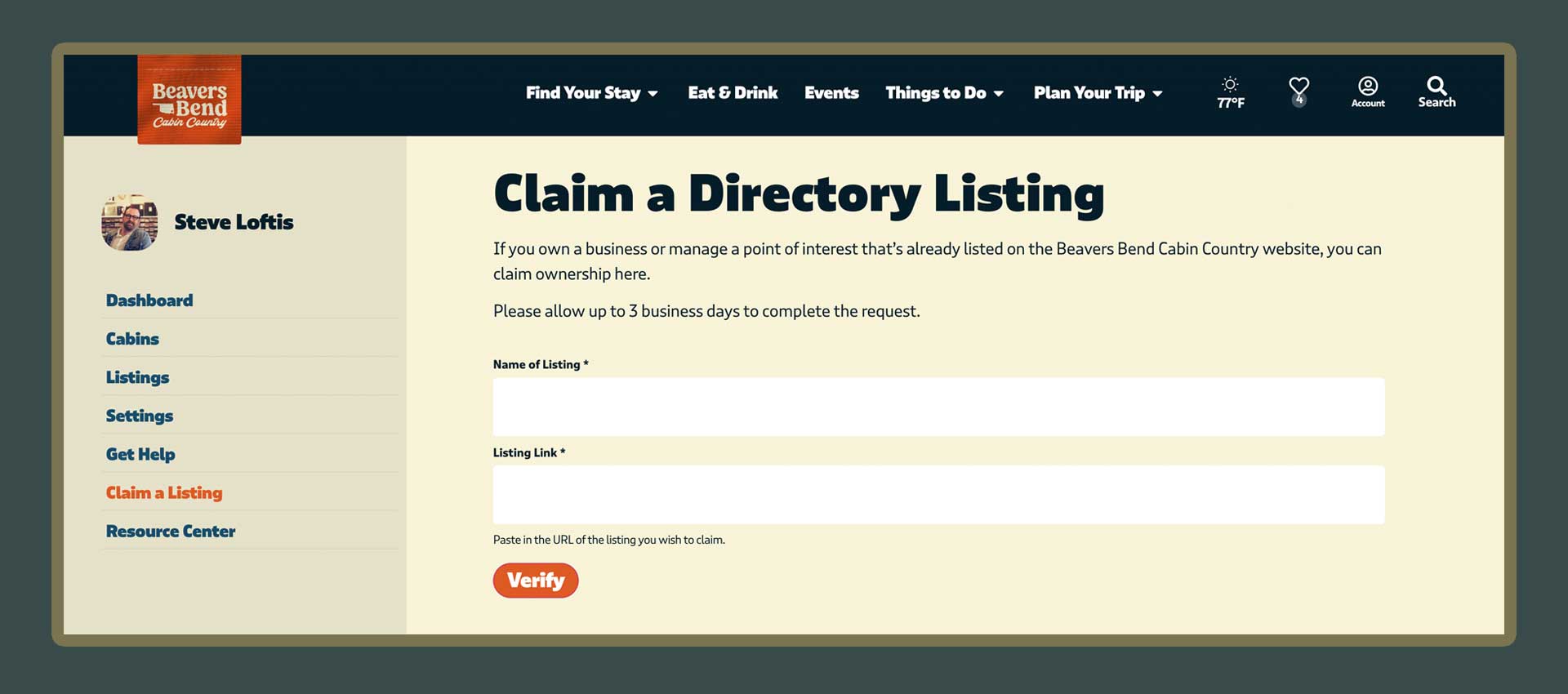
Our team reviews each request to keep things accurate. We typically approve requests within three business days. You’ll receive another email once you’re approved.
You’ll get a confirmation email right away. Our team reviews each request to keep things accurate, and we typically approve within three business days. You’ll receive another email once you’re approved — after that, you can log in and start editing.
Our team is always here to help. If you run into any difficulties or snags along the way, send us a message via the Get Help page.